Things Learnt Y2026 W40
How to run tailscale in containers
Tailscale, by default, wants access to /dev/tun in order to set up the VPN, so if you want to get a container (usually ephemeral) that doesn’t have access to /dev/tun onto your tailscale network, you’ll need to use tailscale in userspace networking mode.
1
2
3
sudo -n nohup tailscaled --tun=userspace-networking --socks5-server=localhost:1055 --outbound-http-proxy-listen=localhost:1055

sudo tailscale up --auth-key=tskey-auth-AAAAAAAA-BBBBBBBBBBBBBBBBBBBB
auth-key allows us to log into our tailnet without an interactive login. These can be configured to be ephemeral to remove that machine from the tailnet after the machine goes offline as well as configurable to be one-time use. Pretty cool!
After this, you will already be able to ssh to that container from your tailnet if “ordinary” prereqs are met (sshd running and your public key there). If you want to use tailscale ssh, you’ll need to explicitly allow that through tailscale.
Some ssh hacks
I like ssh a lot. The first time I ssh’d to a VPS running in the cloud somewhere, I felt like a complete wizard. Turns out I didn’t really know nuffink about remotely accessing machines…
Forward ports to your machine through an ssh tunnel
ssh -N -L [<local-bind-host>:]<localport>:<host-on-remote>:<remote-port>
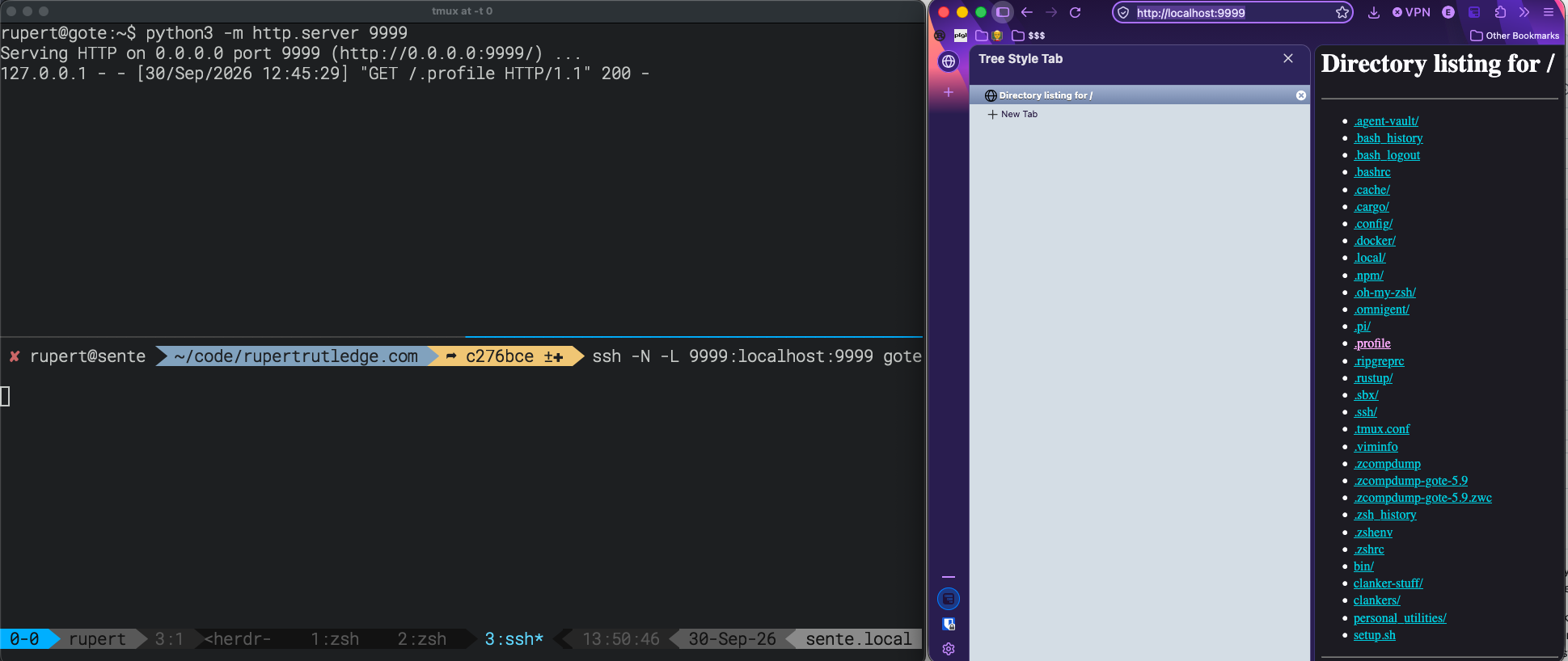
So if running a dev server or equivalent on the remote host which is only bound to localhost there, you can forward this to your local machine and access it with something like:
ssh -N -L 9999:localhost:9999 gote1
Pretty nice when combined with python -m http.server 9999 to get a webserver quickly:
Jump through a “bastion” host to get somewhere else
Rather than ssh to the bastion, then ssh onward from that session, you can just “Proxy Jump” through.
ssh -J user@bastion.example.com user@internal-host
In my exact case most recently (ssh to a docker sbx running on a remote host directly from my machine), this didn’t work due to the remote host not running just ssh on the host to ssh onward, it was using a Proxy Command. In that case, you can also avoid this intermedate ssh session using a proxy command like so: ssh -t <bastion-host> ssh <on-ward-host>. An example config for accessing a docker sbx running on a remote machine is as follows:
1
2
3
4
5
6
7
# Docker sbxs running on gote
Host *.sbx
    User _default_user_
    ProxyCommand ssh gote /usr/bin/sbx ssh proxy %n
    IdentityFile /dev/null
    StrictHostKeyChecking no
    UserKnownHostsFile /dev/null
You can then access any *.sbx host running on that machine by simply running ssh <sbx-name>.sbx
Yes, all my home network servers are named after go terms. ↩︎